Changelog

Follow new updates and improvements to SharkSignals.

May 22nd, 2026

We are excited to roll out a major update to SharkSignals that drastically expands your ability to construct complex trade plans, manage multi-account execution, and secure your automated connections. Here is a breakdown of what has been added in this release.

Advanced Multi-Bracket Support

You are no longer limited to a single stop loss and take profit combination per trade. SharkSignals now allows you to attach multiple bracket configurations to a single Trade Plan, unlocking advanced trade management capabilities directly within the platform.

  • Custom Risk Profiles: Easily configure multiple targets. You can set up a tight initial take-profit to remove risk quickly, combined with a wider "runner" bracket to capture larger market moves.

  • Unified Execution: From the user perspective, it remains a single trade. Behind the scenes, our engine generates and links all bracketed positions back to the initial Trade Request.

Strategy Synchronization: Reversals & Scale-ins

We have expanded our execution engine to dynamically read and synchronize with advanced TradingView strategy logic, allowing your positions to evolve as market conditions change.

  • Allow Reversing: Your Trade Plans can now interpret and cleanly execute "stop and reverse" (SAR) signals, flipping your position direction seamlessly without requiring complex manual webhook logic.

  • Scaling-In: Enable progressive entries to automatically build into a position (pyramiding) as your strategy fires additional confirmation signals. (Note: Support for automated scaling-out will follow in a future update).

Broker Account Overrides & Dynamic Quantity Calculation

You can now apply account-specific overrides directly onto a Trade Plan's routing nodes. This gives you ultimate flexibility when copying a master signal across multiple broker accounts that have different capital or risk requirements.

  • Quantity Calculation Modes: You can override the master plan's standard quantity for any linked account. Choose from Factor (multiply the base quantity), Addition (add a specific number of contracts), or Fixed (hardcode an exact quantity for that specific account).

  • Symbol Overrides: Route a single signal to trade standard contracts (like the NQ) on your primary account, while automatically routing to micro contracts (like the MNQ) with an adjusted quantity factor on a secondary account.

  • Automated Hedging: Utilize the new "Reverse Signal Direction" toggle on a specific account node to easily build automated hedging strategies from a single directional signal.

Enhanced Secure Webhooks

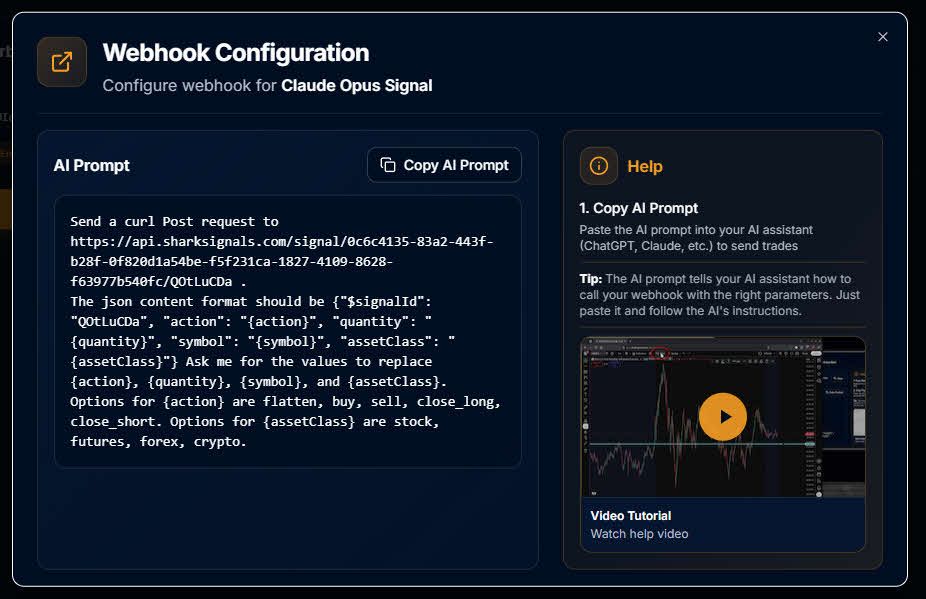
Security is paramount for automated order routing, so we have significantly upgraded our webhook infrastructure to protect your execution pathways.

  • 64-Character Secret Keys: Your personal webhook URLs are now secured with a generated 64-character long secret key. This ensures maximum cryptographic security, preventing malicious actors or unauthorized platforms from injecting signals into your account.

April 9th, 2026

We are excited to announce the latest updates to SharkSignals, featuring new tools designed to give you more hands-on control over your automated strategies. This release introduces dedicated manual trade controls, expands our event logging capabilities for comprehensive performance tracking, and includes important stability improvements for our BlackBird users.

Manual Trade Controls & Trade Plan Enhancements

We have instituted a new manual trade control system that allows you to execute trades directly from a dedicated interface. By interacting with your active trade plans—which already seamlessly handle your risk-reward parameters, order settings, and entry types—you can now manually intervene or test strategies on the fly.

To support this, a special Manual trade node has been built directly onto the visual trade plan canvas. As seen in the new interface, selecting this node opens a dedicated side panel where you can specify the symbol, asset class, and quantity. This allows you to fire off a test signal—whether buying, selling, or flattening—straight into your existing logic flow without needing to leave the trade plan screen.

New Manual Trade controls on Trade Plan screen

Trade Request Event Logging

We have significantly fleshed out how trade request events are handled on the backend. While these are under-the-hood infrastructure improvements that won't change your day-to-day experience immediately, they lay the critical groundwork for powerful upcoming frontend features. Once this system is fully integrated into the user interface in a future update, it will enable:

  • Database Logging: Systematic capture and secure database storage of all your automated and manual trade request events.

  • Status Tracking: The ability to actively monitor the live status and execution performance of every trade request as it moves through the system.

  • Historical Review: A comprehensive historical data view, allowing you to review exactly how each past trade performed over time.

Bug Fixes & Improvements

Alongside the new SharkSignals features, we have addressed several known issues with SharkIndicators BlackBird to ensure smoother and more reliable execution.

  • BlackBird Flattening: Resolved an issue where active trades were not flattening properly under specific conditions.

  • BlackBird Execution: Fixed behavioral bugs that caused exit orders to not be placed correctly.

March 24th, 2026

Introducing Visual Trade Plans

We are excited to announce the release of Trade Plans, a powerful new feature in SharkSignals that gives you unprecedented, visual control over how your signals are executed across your accounts.

Traditional trade copying often relies on sequential execution, which can introduce latency and uneven fills across different accounts. Trade Plans fundamentally upgrades this process by allowing you to construct a centralized visual graph where multiple signals are routed to multiple broker accounts simultaneously. Because all orders are executed in parallel, you get superior speed and synchronization across your entire portfolio.

Key Capabilities

  • Visual Signal Routing: Easily map out the flow of your trades using our intuitive node-based interface. You can hook up any number of inbound signals (such as a TradingView strategy) and direct them to any combination of connected broker accounts.

  • Parallel Execution: Ditch the lag of traditional trade copiers. By routing orders to multiple destinations at the exact same time, you ensure consistent, synchronized execution.

  • Dynamic Instrument Selection: Specify the exact instrument for your trades directly within the plan, or let the Trade Plan dynamically inherit the instrument data if it is already included in the inbound signal (as it is with TradingView Strategies).

Granular Trade Customization

Every signal routed through a Trade Plan can be custom-tailored to fit your exact execution strategy. Within the plan node itself, you have full control over your overarching order parameters.

Configuration

Available Options

Risk-Reward Settings

Define precise take-profit and stop-loss levels. (Note: You can easily select one of your custom NinjaTrader StopStrategy per bracket order to manage your risk, just like your favorite Atm.

Order Settings

Control time-in-force and execution triggers with Good 'Til Cancelled (GTC), Market-if-Touched (MIT), and Good 'Til Date (GTD).

Order Types

Execute exactly how you want using Market, Limit, or Stop-Limit orders for each respective type (entries, take profits or stop losses)

BlackBird Integration

Utilize your already designed trailing rules and actions and execute them via SharkSignals